Introducing ML Model Support in Texera
Feature Introduction · Apache Texera
Texera now supports machine-learning models. A model is a resource of its own, alongside workflows and datasets: it has an owner, a history of versions, a file tree, an access list, and a page other people can find.
Three features arrive together, because running a model takes all three: somewhere to keep it, a way for your code to reach it, and an environment able to load it.
Models
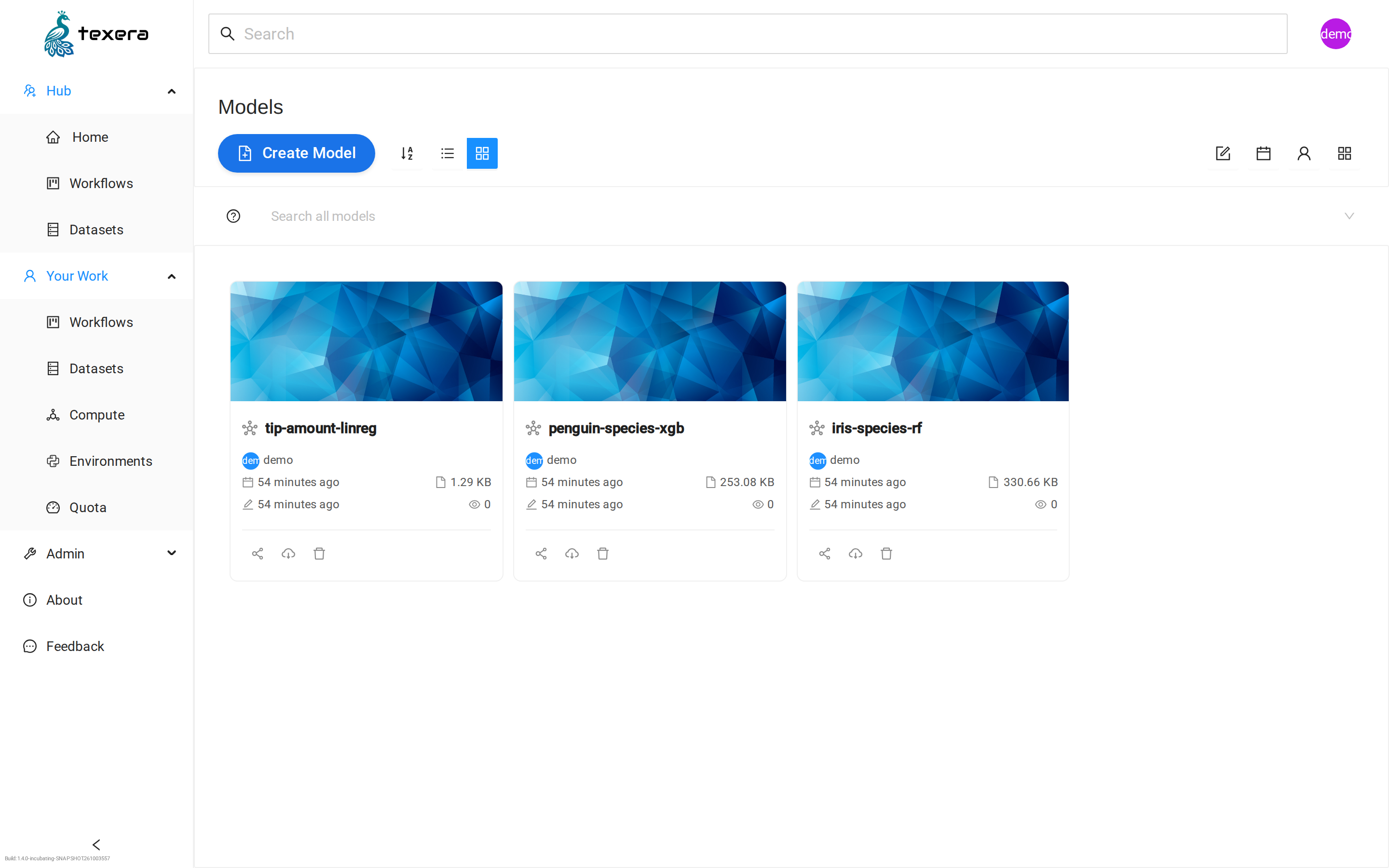
Upload a model, keep versions of it, share it with collaborators and publish it to the Hub.
Mounting
A Python UDF names a model version and reads it from a local folder. Files load lazily, so only the bytes your code reads are transferred.
Custom Images
An administrator registers extra computing-unit environments for models with heavier requirements.
01 Models in Texera
Models live under Your Work → Models. You give a model a name and, if you like, record which framework trained it and how the weights are stored. Those are labels for people and for tools to read later.
A version can be a single file or a whole folder, since models arrive both ways — one checkpoint, or weights alongside a config file, a tokenizer and several shards. Upload files or folders, up to 2 GB per file by default, and commit them together as one version.
Creating a model, uploading its files, and committing them as a version.
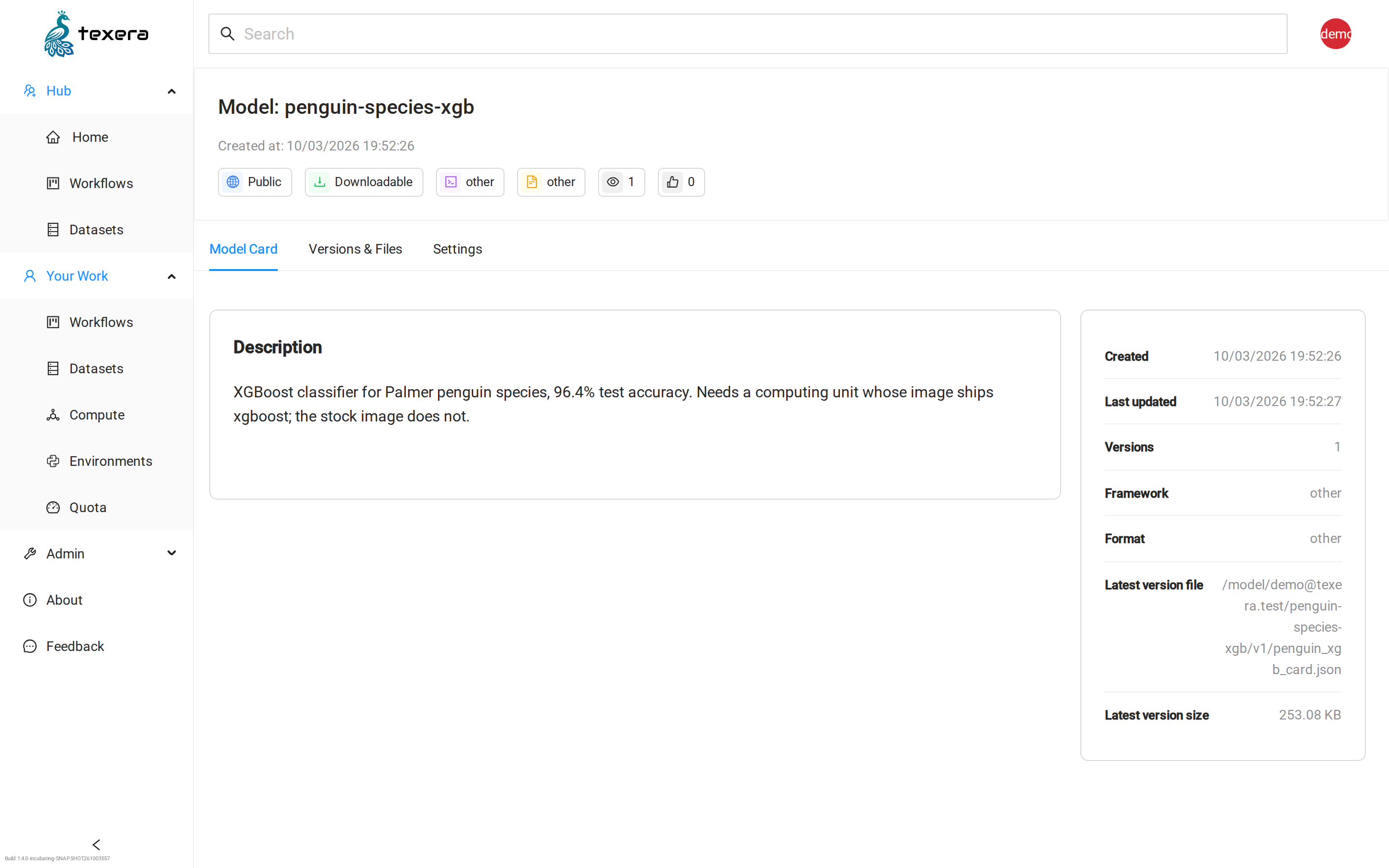
The model card: what the model is, and what a workflow needs in order to run it.
Once committed, a version never changes. That is what makes a workflow reproducible: it names a version, and that version means the same files a year later.
Key Capabilities
- Create a model and upload its files, singly or as a folder, from the browser
- Commit a set of files as an immutable version, and keep a history of versions
- Share a model with named collaborators, at read or write access
- Publish a model to the Texera Hub, separately from whether it can be downloaded
- Search and browse published models alongside workflows and datasets
Publishing and downloading are deliberately separate, so you can let people find and use a model without handing out the weights. Published models appear on the Hub and in search, and you can give one a cover image.
02 Mounting a Model into Your Computing Unit
There is no "load model" step to configure. A Python UDF declares that one of its parameters names a model:
class ProcessTableOperator(UDFTableOperator):

    @overrides
    def open(self):
        import joblib, os

        model_dir = self.UiParameter("MODEL", AttributeType.STRING,
                                     value=Resource.MODEL).value
        self.model = joblib.load(os.path.join(model_dir, "iris_rf.joblib"))
Texera reads that declaration and shows a model browser in the operator's property panel instead of a text box. You pick a model and a version there. When the workflow runs, the UDF receives a plain local folder path and reads files out of it like any other folder.
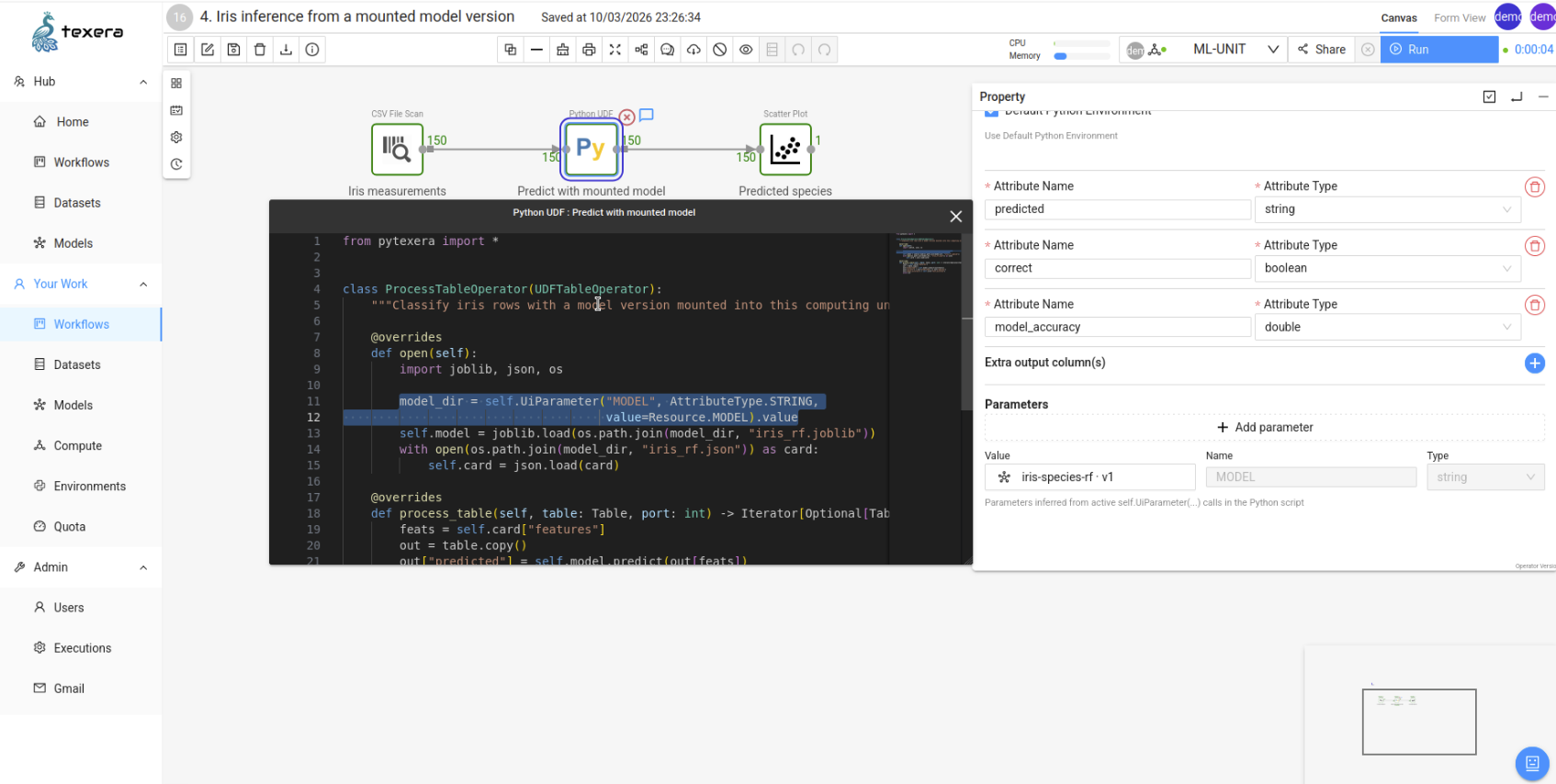
The highlighted line in the script produces the MODEL parameter on the right, whose value is a model version rather than typed text.
The design question underneath is who performs the mount. Mounting needs privileges, and the pod running a user's code should hold as few as possible. So a small separate program on each machine performs it and hands the finished read-only folder back, leaving that pod unprivileged. Before any of it happens, Texera confirms you may use that computing unit and may read that model, so a mount cannot reach something you could not already open.
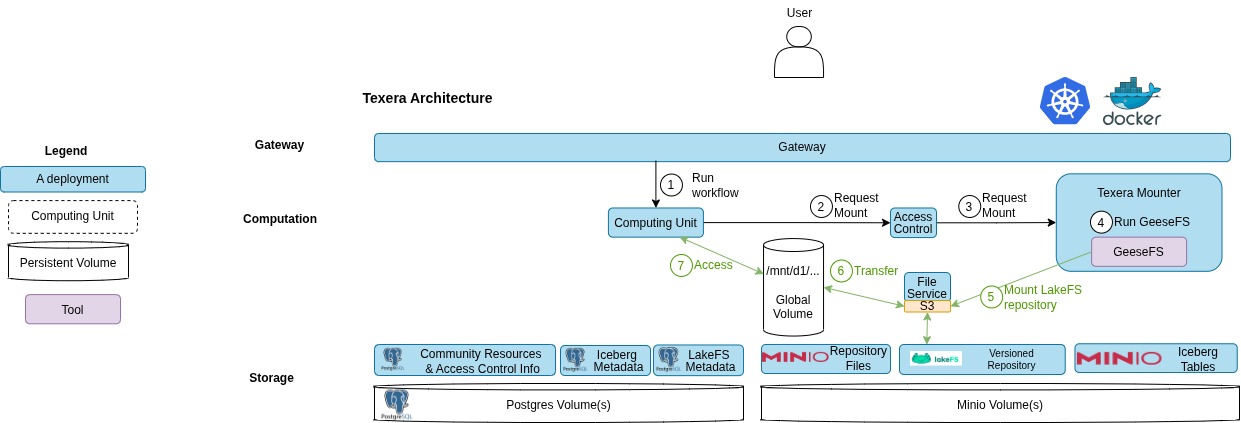
The mount is performed outside the pod that runs your code, then handed in read-only.
The same mechanism carries datasets, since both are stored the same way — write Resource.DATASET instead.
03 Custom Images for Computing Units
Getting the weights to your code is half the job. The other half is code that can load them. The penguin model above needs xgboost, which the stock image does not carry; at the far end, something like AlphaFold 3 wants a particular Python version, tools that do not come from pip, and a compile step.
An administrator can therefore register extra computing-unit environments. They paste a link to a published image, Texera checks it is a valid Texera computing-unit image and pins the exact version, and it appears as a dropdown when someone creates a computing unit. Pick one and your unit runs that environment; the choice applies to that unit alone and is fixed for its lifetime.
Registering an image, and watching it validate before anyone can select it.
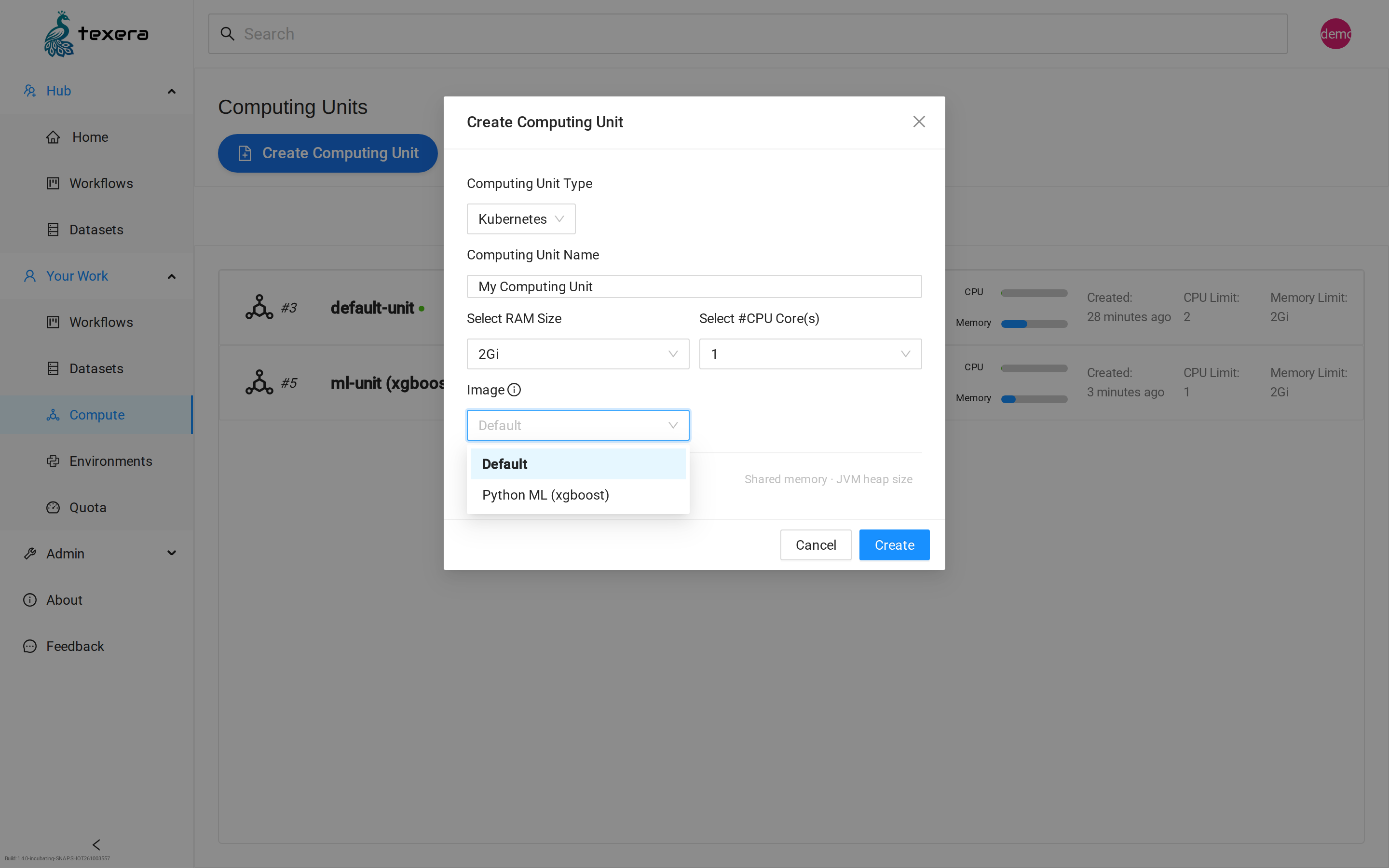
Choosing an environment when creating a computing unit.
Two details make this safe to leave switched on. The version is pinned when the image is registered, so its contents cannot be swapped out afterwards. And because these images come from outside the project, a unit started from one runs with reduced permissions. Registered images are also pulled onto each machine ahead of time, so starting a unit from one does not wait on a download.
04 End to End
| 1. Create a model, upload its files, and commit them as a version. |
| 2. Create a computing unit, choosing an environment that can load it. |
3. In a Python UDF, declare a parameter with value=Resource.MODEL and pick your model and version in the property panel. |
| 4. Run the workflow. The version is mounted, and your UDF loads it from a local folder. |
Creating a computing unit, naming a model version from a UDF, running the workflow, and reading the output.
Where This Goes Next
Next is agreeing a standard layout for a model, so Texera can load one without being told how — and on top of that, an operator that runs a model over a table with no code at all. Development happens on GitHub, and design discussion there and on dev@texera.apache.org.
If you have a model and a Texera deployment, turn it on and tell us where it falls short.